
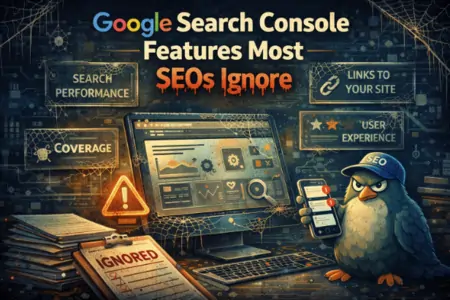
Google Search Console is one of the most powerful SEO tools available — and it’s free.
Yet in 2026, most SEOs still use Google Search Console like a rank-checker with graphs, not like the diagnostic and decision engine it actually is.
They check clicks.
They glance at impressions.
They panic when lines go down.
And they ignore the features inside Google Search Console that explain why performance changes — and what to fix next.
This guide breaks down the Google Search Console features most SEOs ignore, how they actually work, and how to use them to make smarter SEO decisions without guessing.
Google Search Console Features Most SEOs Ignore
- Query Clusters (Not Individual Keywords)
- Page-Level Query Mapping
- Search Appearance Filters
- Indexing Page Status (Beyond “Indexed / Not Indexed”)
- Crawl Stats Report
- Regex Filtering for Real Insights
- Compare Mode for Pre/Post Update Analysis
- Discover Performance Report
- Manual URL Inspection for Debugging
- Exporting GSC Data for Pattern Analysis
1. Query Clusters (Stop Obsessing Over Single Keywords)
Most SEOs still look at queries one by one.
Google doesn’t.
Inside Google Search Console, you can see groups of queries that behave similarly — which is far more useful than tracking individual keywords.
How to use this properly:
- Sort queries by impressions, not clicks
- Identify clusters with rising impressions but low CTR
- Map multiple queries to one intent-driven page
- Optimize pages for query themes, not exact phrases
The Bottom Line: Rankings fluctuate. Query demand patterns don’t.
2. Page-Level Query Mapping (The Most Underused View)
The Pages → Queries view is where real optimization happens.
Instead of asking “Why did this keyword drop?”, ask:
- What queries does this page already rank for?
- Are they aligned with the page’s actual intent?
- Are unrelated queries leaking in?
This reveals:
- intent mismatch problems
- pages ranking for things they shouldn’t
- opportunities to tighten or expand content scope
This is one of the highest-ROI views in Google Search Console, because it shows what Google already associates with each page.
The Bottom Line: Optimize pages based on existing query associations, not assumptions.
3. Search Appearance Filters (CTR Goldmine)
Most SEOs never touch Search Appearance filters.
That’s a mistake.
Search Appearance in Google Search Console shows how your pages perform in:
- rich results
- FAQs
- video results
- product snippets
- review snippets
Why this matters:
- Low CTR in rich results often means weak titles or formatting
- Missing appearance types reveal schema opportunities
- Performance drops can come from SERP layout changes — not ranking loss
The Bottom Line: SERP features change CTR before rankings change.
4. Indexing Page Status (Beyond “Indexed”)
The Pages > Indexing report is often ignored unless something breaks.
But it’s one of the best content quality signals you have, and Google Search Console gives you the clearest view into it.
Pay attention to:
- “Crawled – currently not indexed”
- “Discovered – currently not indexed”
- sudden spikes in excluded URLs
These often indicate:
- thin or duplicate content
- internal linking issues
- low perceived value
- crawl budget waste
The Bottom Line: Indexing problems usually signal quality or structure issues — not technical errors.
5. Crawl Stats Report (The Health Monitor SEOs Skip)
The Crawl Stats report shows how Googlebot actually interacts with your site.
Most SEOs never open it.
But Google Search Console Crawl Stats can reveal:
- crawl request spikes or drops
- response time trends
- crawl type distribution (HTML vs resources)
- server error patterns
Why it matters:
- crawl behavior often changes before rankings do
- sudden crawl drops can indicate trust or quality issues
- crawl spikes can signal reprocessing after major changes
The Bottom Line: Crawl behavior is Google’s early warning system.
6. Regex Filtering (The Power Tool Most People Avoid)
Regex filters turn reports into real research.
Use regex in Google Search Console to:
- group similar queries (“how to”, “best”, “vs”)
- isolate brand vs non-brand traffic
- find question-based queries
- audit location modifiers (“near me”, city names)
Example patterns:
how|what|why→ informational intentbest|top|review→ commercial intent
The Bottom Line: Regex reveals intent patterns you can’t see manually.
7. Compare Mode (How to Analyze Updates Properly)
When updates roll out, most SEOs panic-scroll.
Instead, use Compare mode:
- pre-update vs post-update
- last 28 days vs previous 28 days
- same period year-over-year
Focus on:
- page groups, not single URLs
- query clusters, not rankings
- impressions vs clicks vs CTR changes
This is where Google Search Console becomes a calm, evidence-based tool instead of a stress trigger.
The Bottom Line: If you can’t explain what means changed, don’t change anything yet.
8. Discover Performance Report (Massively Underused)
If your site appears in Google Discover, this report is gold.
Discover traffic behaves differently:
- headline-driven
- freshness-sensitive
- engagement-heavy
- volatility is normal
Use the Discover report in Google Search Console to:
- identify content formats that get picked up
- refine titles and visuals
- understand topical authority signals
The Bottom Line: Discover shows what Google thinks is interesting, not just relevant.
9. Manual URL Inspection (For Diagnosis, Not Validation)
Most SEOs use URL Inspection to check:
“Is this indexed yet?”
That’s not the best use.
Use URL Inspection in Google Search Console to:
- inspect canonical selection
- check rendered HTML
- see last crawl date
- diagnose indexing delays
It’s especially useful for:
- JavaScript-heavy pages
- paginated content
- recently updated URLs
The Bottom Line: URL Inspection explains why something behaves the way it does.
10. Exporting GSC Data (Where Real Insights Live)
The interface is limited by design.
Exporting data from Google Search Console unlocks:
- query decay analysis
- page-level trend tracking
- CTR testing opportunities
- intent segmentation at scale
Best practice:
- export monthly
- track changes over time
- compare winners vs losers after updates
The Bottom Line: GSC becomes powerful when you stop treating it like a live chart.
Final Thoughts
Google Search Console isn’t a reporting tool.
It’s a diagnostic system.
The SEOs who win in 2026 don’t check it for reassurance — they use Google Search Console to:
- understand intent shifts
- identify structural weaknesses
- spot opportunities before competitors do
- respond calmly to updates with evidence
If you’re only using GSC to look at clicks and rankings, you’re leaving its most valuable features untouched.
Frequently Asked Questions
Is Google Search Console enough without paid tools?
For many sites, yes. It gives first-party data you can’t replicate elsewhere.
How often should I check Search Console?
Light weekly checks, deeper monthly reviews, and structured comparisons after major updates.
What’s the biggest GSC mistake SEOs make?
Treating it as a rank tracker instead of a system-level diagnostic tool.